Adding a Button
You can add a button to your post to take your reader somewhere.
You'll usually want to take your reader to a place where she can purchase a service or product you've created or are promoting.
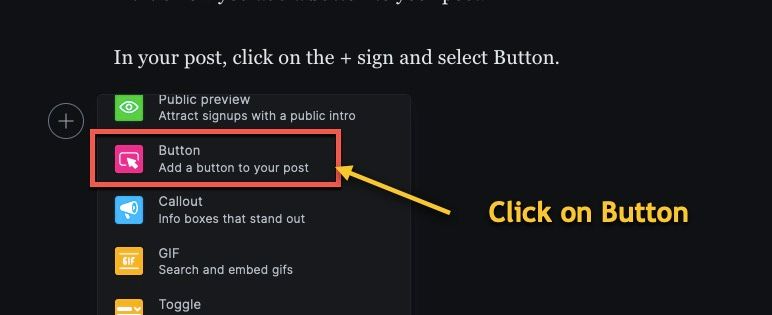
To add a button, in your post, click on the +, scroll down, and click Button.
I like center alignment for this button so we'll leave that selected.
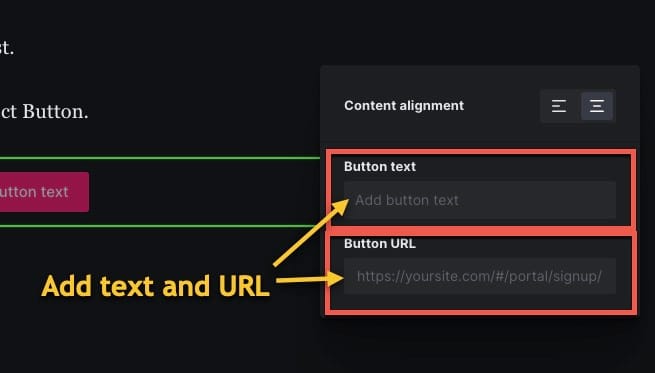
Type in the text to be displayed in your button.
In this example, I'm directing the reader to my awesome Ubuntu Linux course on Udemy. :-)
Paste in the URL you'll want your reader to go to.
We'll add a link to the Ubuntu Linux course.
Publish your post, and in your new post, there will be a button your readers can click to go to the site you linked to!
Buttons can be a great way to make it easy for your readers to purchase a product or service.
Another good use for a button, is a membership sign-up button in your public previews, letting readers quickly become subscribers.
That's it for adding a button!