Adding Code Inline
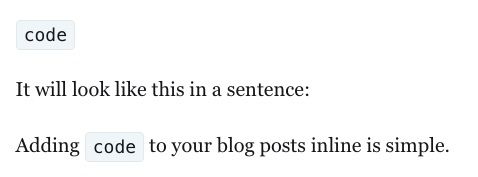
In this lesson, you'll learn how to add inline code to your posts.
Adding code inline makes the code stand out from the rest of the text, makes it obvious that it is code, and makes it easy for readers to copy, saving them from additional typing or typographical errors in transcription.
If your blog discusses computing or computer languages like
- Java
- JavaScript
- Hyper-text Markup Lanugage (HTML)
- Markdown Language
- Perl
- Bourne Again Shell (BASH)
you'll want to be able to add code to your posts. There are many, many more computer languages. These were just a few examples.
You can add code inline, which means within a sentence by using a back tick before and after the code.
A back tick is found below the tilde "~" in the upper left on a North American keyboard. It looks like a single quote, but slants to the left. It looks like this `.
So, if you want to have the word "code" in a sentence but you want it to be obvious that it's code that can be copied, you'll surround the word code in back ticks as follows:
code
It will look like this in a sentence:
Adding inline code to your posts is simple!
That's all there is to adding inline code to your posts!
If you want to have multiple lines in a code snippet, you'll want to add it as a block which you'll learn next.
To reiterate, adding code inline will make the text stand out, make it obvious that it's code, and make the text easy for your readers to copy.